
Apparently, Set a clear workstation layout, fix ergonomics first, simplify cables and tech, then create focus zones with noise control and smart routines. In Dubai, you’ll also plan for AC temperature swings, power type G sockets, and daylight timing. Do this, and your output climbs while your body stays pain-free.
Start with intent: what must this desk help you do?
Before you drop a laptop on the table, decide your top three tasks. Do you code? Pitch? Write? Because each craft needs a different layout, you’ll arrange tools by reach zones:
- Primary zone (hands never leave it): keyboard, trackpad/mouse, notebook, hotkeys deck.
- Secondary zone (a quick lean): monitor, water bottle, phone stand, reference book.
- Tertiary zone (stand and fetch): bag, charger brick, document folio.
This zoning keeps you from hunting for essentials and killing flow. Get details on Co-Working Space in Dubai.
Ergonomics first: posture beats willpower
You produce more when your body doesn’t fight you. Therefore, fix these five points in order:
- Seat height & hips: Raise the chair so hips sit slightly above knees. Plant both feet flat; use a footrest if your feet dangle.
- Back support: In addition,keep your lumbar curve supported.Besides this, If the chair lacks support, add a small cushion.
- elbows & Keyboard : Set elbows at ~ninety degree close to your sides. Pull the keyboard near; relax shoulders.
- Monitor distance & height : Additionally,top of the screen at eye level; distance roughly arm’s length.Besides this Use a portable stand if you’re on a laptop.
- Lighting & glare: Face the monitor perpendicular to windows. Use the coworking task light instead of cranking screen brightness.
In Dubai coworking spaces, AC can run cool. Bring a light layer so muscles don’t tense while you type.
Sit–stand rhythm that you’ll actually follow
A standing desk helps only if you stand in short, repeatable bursts. Try this cadence:
- Morning: 25 min sit → 10–15 min stand (two cycles)
- Midday: 30 sit → 15 stand
- Afternoon: 20 sit → 10 stand when energy dips
During standing, weight shifting and keep wrists neutral. Moreover,Use an anti-fatigue mat if you stand longer than 20 minutes.consequently At Black Swan, most stations pair well with portable risers if you don’t have a built-in lift. Looking for a Co Working Spaces for Freelancers in Dubai?
Power, chargers, and cables: Dubai specifics
Normally Dubai office power uses Type G sockets at 230V. Besides this, pack a USB-C GaN charger and a surge-protected adapter that feeds your phone and laptop together. After that, tame cables:
- Route cords along the back edge of the desk.
- Use Velcro wraps and one under-desk clip.
- Coil excess next to the brick—not at the port—to prevent strain.
A clean surface clears mental noise. It also signals to neighbors that you respect shared space.
Screens and visual focus: one or two displays?
You gain speed with a single 27″ monitor more than with messy dual minis. If you choose two, stack them side-by-side at equal height. Keep the primary screen centered; park secondary windows (chat, mail, calendar) on the second display to stop tab ping-pong.
Palette matters too. Switch your editor or doc app to a low-contrast theme that matches the room’s warm lighting; bright whites fight your eyes in long sessions. Are you searching for a Meeting Rooms for Rent in Dubai?
Noise strategy: control inputs, protect attention
Coworking energy inspires you—until it doesn’t. Create a two-layer shield:
- Software: Additionally, A “Focus” profile that silences everything except your team’s emergency channel and calendar alarms
- Hardware: foam plugs for calls you don’t want to hear through the headset.; Noise-cancelling headphones for chatter;
Then, post a tiny table flag or status card: Deep Work / Back at 2:30. In Dubai’s collaborative floors, that signal reduces tap-on-shoulder interruptions without sounding unfriendly.
Light, air, and hydration: little things, big output
- Light: Sit with your side to the window; avoid facing it. If glare hits, lower blinds and match monitor brightness.
- Air: AC dries you out; keep water within reach. Aim for a bottle you finish twice before 5 pm.
- Breaks: Walk five minutes each hour. You’ll think better than if you grind for four straight.
Because Dubai’s sun runs intense, step outside briefly in the morning for natural light; you’ll sleep deeper at night and focus better at 2 pm. Get details on Board Room for Rent in Dubai.
Security and privacy in a shared office
Apparently,you move fast when you feel safe.In addition,keep a cable lock in your bag,add a privacy filter if you handle client data, and set a ninety -second auto-lock, . Besides this, Use a vetted VPN for public Wi-Fi. In the end , clean the desk when you leave—no notebooks ,no contracts, open.
Digital workflow that fits coworking life
Calendar & time-boxing
Block two Deep Work slots (60–90 minutes) and a single Admin Stack (email, expense entries, quick approvals). Put calls near each other so you switch gears fewer times.
Templates & shortcuts
Create a daily launch checklist: open project file, set Pomodoro timer, DND on, headset paired, water filled. Save text snippets for meeting notes and proposals; use a macro keyboard if you edit lots of text or video.
Backups on autopilot
Sync to cloud plus a thumb drive for mission-critical files. Coworking means you might shift desks; your files should travel with you, effortlessly. Looking for a Office Space for Startups in Dubai?
Etiquette that keeps neighbors on your side
- Voice discipline: calls at inside-voice; long ones in booths.
- Scent sensitivity: light lunches; perfume minimal.
- End-of-day reset: wipe, coil, and stow.
- Borrowing: ask first, return better (full pen cup, extra wipes).
At Black Swan Business Center, those norms help everyone work faster without rules taped on every wall.
A Dubai-specific checklist you can copy
- Type G adapter + GaN charger
- Light layer for cool AC rooms
- foam plugs +Noise-cancelling headset
- USB-C dock and HDMI/DP cable for monitors
- Portable laptop stand and external keyboard/mouse
- Footrest (compact inflatable works)
- Cable ties & wipes
- Water bottle you love using
- Privacy filter if you handle client data
Sample desk layout (top view)
- Front center: external keyboard
- Right front: mouse/trackpad on a large mat
- Center rear: monitor on riser (eye-level)
- Left front: notebook + pen
- Right rear: phone on stand (Do Not Disturb, VIP calls allowed)
- Back edge: dock + cables routed down
Minimal. Calm. Fast.
Related Articles:
» Why Co-Working Spaces in Dubai Are Perfect for Freelancers?
» Benefits of Renting a Co-Working Space for Your Business
» Top Reasons to Choose a Co-Working Space for Your Business
» Coworking Spaces in Business Bay: A New Era of Flexible Workspaces
» The Advantages Of Coworking Solutions in The Era of Hybrid Work
Micro-habits that compound
- Start with a three-line daily target.
- Use a twenty five to five timer for sprints; take real five -minute walks.
- Close your day with a tomorrow’s first task written out and two-minute desk reset
- Celebrate small wins at 3 pm—one kind note to a teammate,water refill,quick stretch,
Therefore, those wins keep momentum rolling long after caffeine fades.
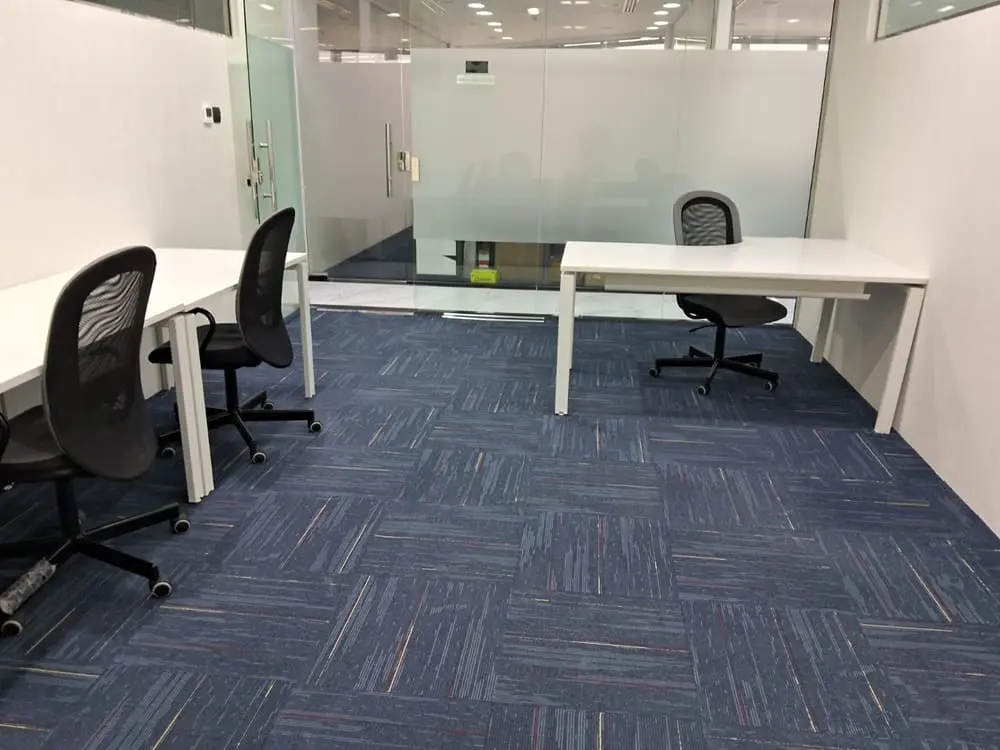
Maximize Your Productivity: The Perfect Dubai Coworking Desk Setup
To maximize productivity in a Dubai coworking environment, build a deliberate desk setup: nail ergonomics, use a standing desk rhythm, clean up cable management, and block noise with noise-cancelling. Then, enforce time-boxing, protect privacy, hydrate, and reset the station nightly. As a result , you’ll contribute more,feel better, and work faster, —without burning out.
FAQs
Align the top bezel at eye level and keep the screen about arm’s length away.
No. Alternate sitting and standing. Short, regular standing blocks work best.
Pick over-ear noise-cancelling models. Keep foam plugs for ultra-noisy days.
Use a USB-C hub, one Velcro wrap, and an under-desk clip. Coil near the brick, not the port.
Yes. It sets monitor height correctly. Pair it with an external keyboard and mouse.
Bring a light layer. Warm muscles keep posture relaxed and typing smooth.
Pick one you’ll finish twice during the day. Hydration beats afternoon fog.
Connect through a reputable VPN, use a privacy filter, ,and enable auto-lock.
Not always. One larger single display often beats two small, mismatched screens.
Normally, end each day with a two-minute reset and write tomorrow’s first task. You’ll start focused and fast.